Sensor Dial
Put Sensor Dial on an encoder to keep one reading or a set within reach. Its views show one reading, two rows or an overview.
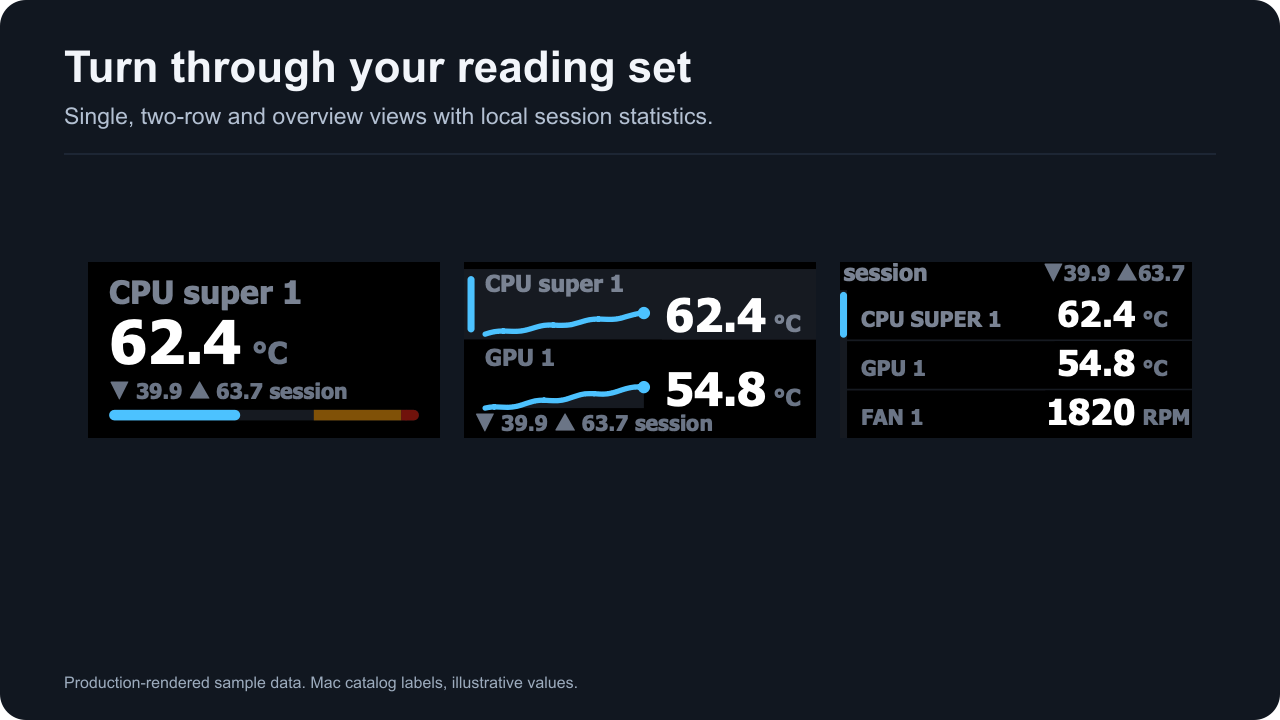
Production-rendered sample data with local session statistics.
Rotation moves through the saved readings or groups. Missing members stay saved and are skipped until available. A label belongs to the saved reading and stays with it through a reorder.
The dial’s min, max and average are local session statistics from genuine observations. They reset with the session or a reset command. A repeated display of the same observation does not count as another sample; a new acquisition with the same value does.
Individual reading colors change numeric fills while preserving labels, units, graph paths, selection and layout. Warning and critical colors still win. See themes and controls and presets.
Physical rotate, push, touch and long-touch validation requires a deck with encoders. The current software and Virtual Stream Deck evidence does not substitute for that check.
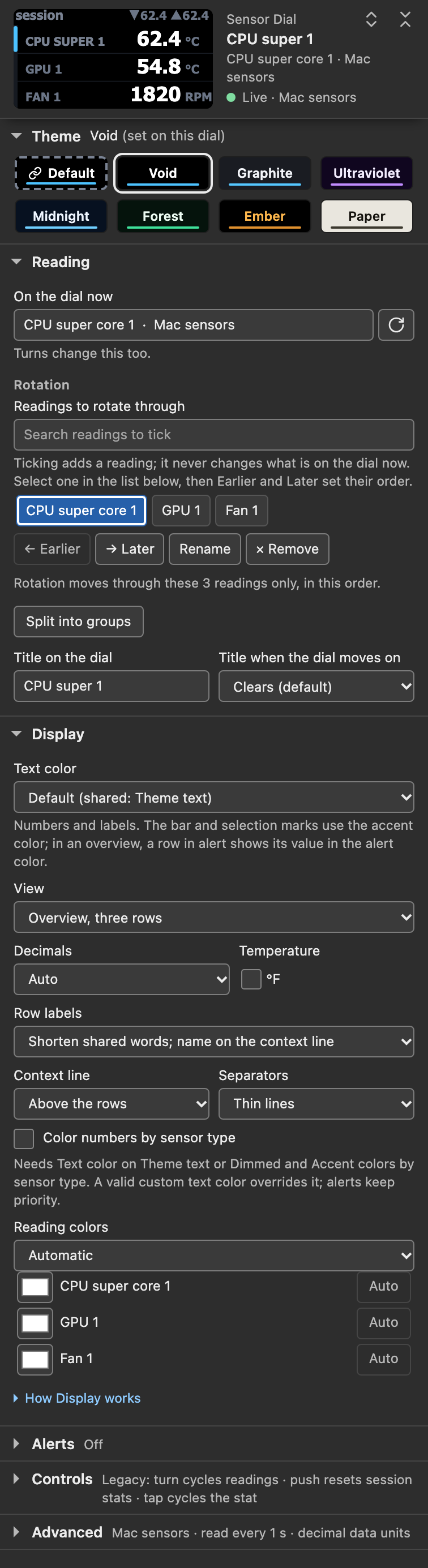
Settings-panel capture, panel build 1.0.0.0-mac7. Simulated host with sample data.
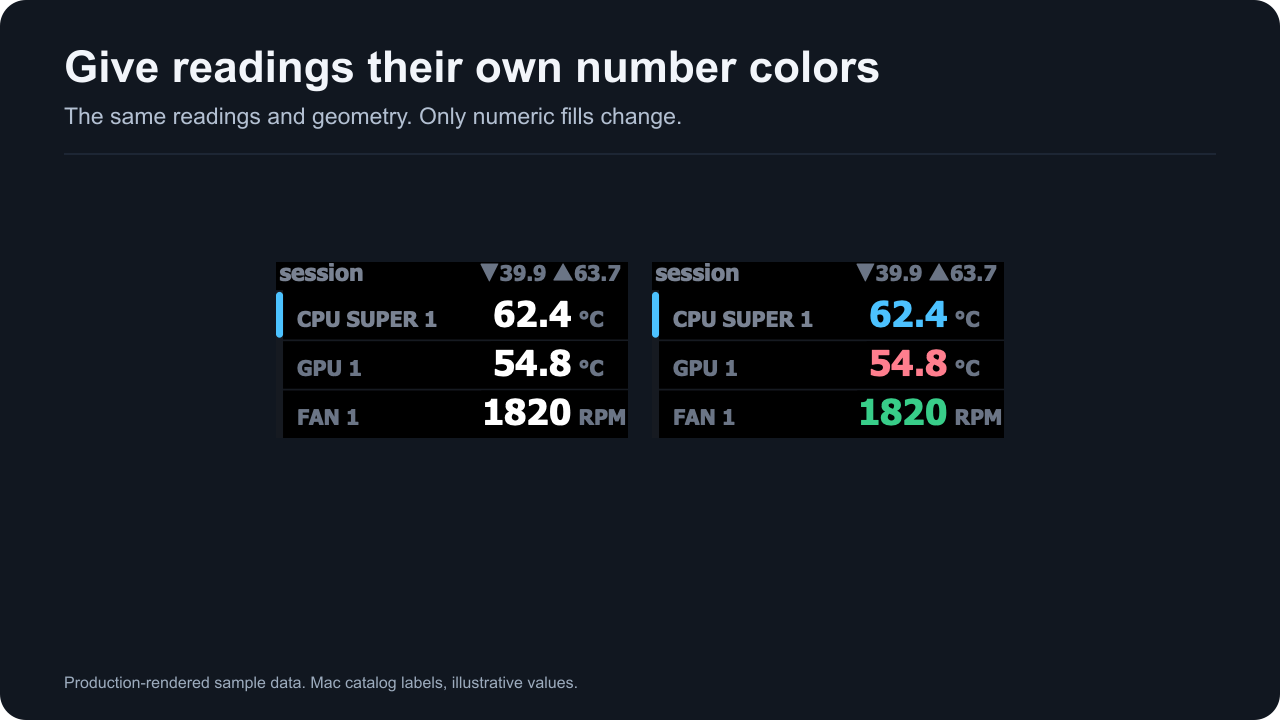
Production-rendered sample data. The comparison changes number colors and preserves geometry.

Settings-panel capture of individual reading colors. Simulated host with sample data.