HWiNFO Sensors puts temperatures, clocks, fan speeds, usage and power on your Stream Deck. It reads HWiNFO locally. Windows 10+ x64, free, MIT licensed, no ads, no telemetry.
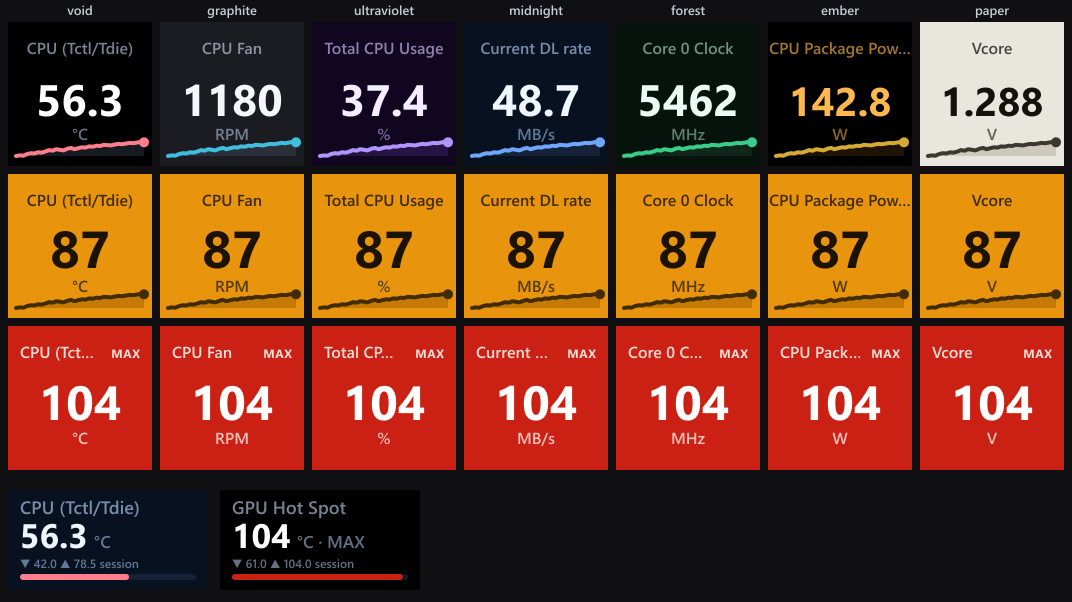
Production renderers with sample readings and generated histories. This is a layout comparison, not a hardware photograph.
1.7 redesigns the settings panels, adds per-reading dial colors and changes how sources, identities and history are handled. See what changed for you.
What it does
- Keys: one to four readings, custom labels, current or historical values, and a sparkline, bar or ring on single-reading keys.
- Dials: a single reading or a two- or three-row overview. Rotate through readings, use named groups or enable auto-cycle. Local session statistics record accepted observations.
- Colors: seven themes, per-action or shared text settings, and individual reading colors on multi-row dials in 1.7. Alerts take priority.
- Details: press a key to open a page for its source, a custom list or a filter. Return with the Back tile.
- Controls: drive dials from a key or Multi Action. Switch readings, pause auto-cycle, pin a reading or reset local statistics.
Shared Memory supplies current values and HWiNFO’s MIN/MAX/AVG. Gadget is a current-value fallback with limited freshness evidence. Saved readings need explicit links to work across the two sources. Read the source guide before relying on fallback.
Start here
- Install the plugin and enable sharing in HWiNFO.
- Add your first reading and set its label and alerts.
| Guide | Covers |
|---|---|
| Sensor Reading | Key layouts, history and press behavior |
| Sensor details | Detail pages, custom tiles and Back navigation |
| Sensor Dial | Dial views, rotation, session statistics and reading colors |
| Controls | Gesture presets, rotation groups and the HWiNFO Control action |
| Themes | Themes, text colors and display geometry |
| Thresholds and alerts | Warning and critical states |
| Data sources | Sharing, fallback, identity and freshness limits |
| Hardware | Physically tested devices and simulated coverage |
| Status screens | What each key, dial and settings-panel status means |
| Troubleshooting | Status messages and fixes |
Requires Stream Deck software 6.9+ and HWiNFO running on the same Windows PC with Shared Memory Support or Gadget reporting enabled. Not affiliated with or endorsed by REALiX or Elgato. HWiNFO belongs to REALiX; Stream Deck and Elgato are trademarks of Corsair.