Reference
What's new in 1.8
1.8.0.0 joins Sensor Dials into one graph across the touch strip, puts a picture behind keys and across the whole deck, and gives each reading its own unit, decimals and limits. The upgrade only adds settings and reads every 1.7.1 setting as before. The changelog lists every change.
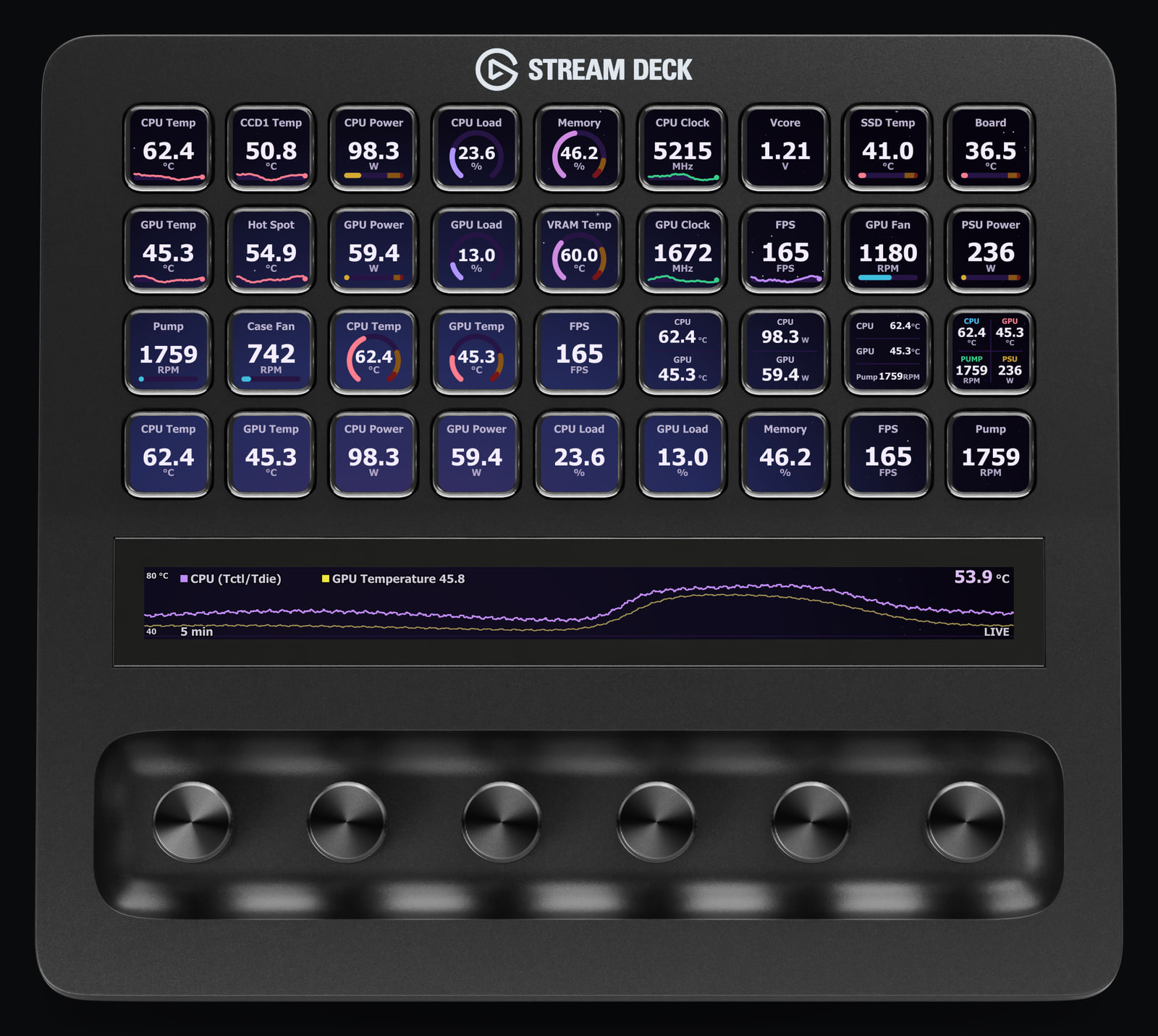
Background Dusk behind every key and a Trend across the six dials of a Stream Deck + XL. Device image: Elgato.
One graph across the touch strip
A strip display joins the Sensor Dials of a Stream Deck + or + XL into one graph, or two side by side with Equal split.
- Nine graphs: Trend, Area, Compare, Lanes, Heat, Group, Ambient, Meters and Events, over the last 1, 5 or 15 minutes. See What each graph is for.
- Build screens proposes up to seven graphs from this PC’s sensors, and Make the strip creates them. See Build screens.
- Equal split starts from a pair of graphs this PC’s sensors fill, such as CPU and GPU, and Fill both halves puts one on a running split. See Equal split pairs.
- Screens: a whole strip keeps up to eight graphs and shows one at a time. See Screens.
- Group draws up to 32 readings of a folder, a filter, a list or a unit. Its Tiles view gives each reading a small graph of its own. See Group.
- Meters has a Look: Thin bar, Full bar or Liquid. CPU and RAM usage, the first pair, is a Liquid of each.
- Brief gaps sets how a strip draws a reading missed for a moment.
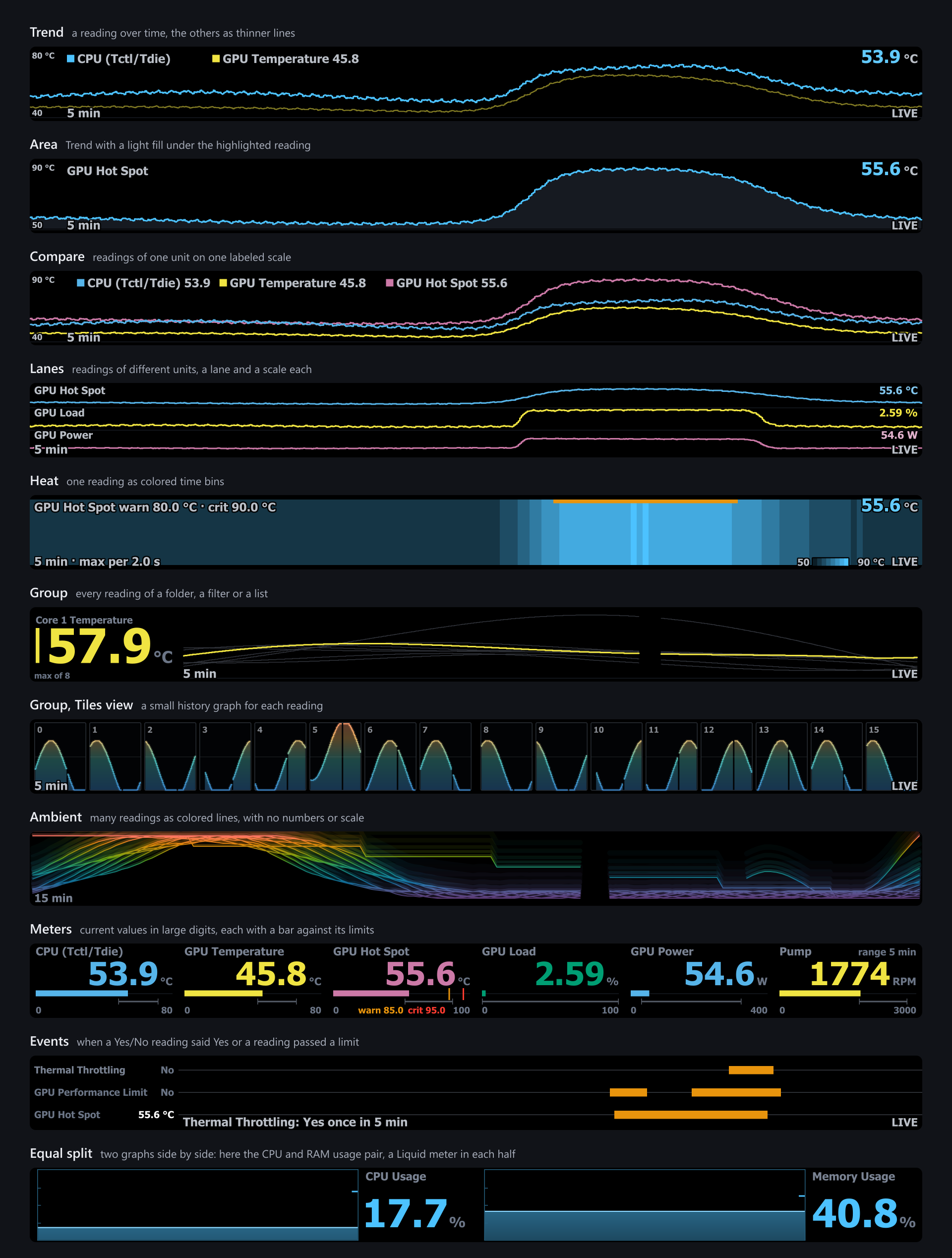
The nine graphs, Group’s Tiles view and an Equal split, each across a whole + XL strip on the Void theme.
A picture behind keys and across the deck
- Background on a Sensor Reading key lets the page picture set in the Stream Deck app show behind it: Glass, Tint, Outline or Clear, as on a dial since 1.7.1. See Background.
- Stars, Dusk and Nebula draw the plugin’s own picture across the whole deck. See Deck backgrounds.
- Advanced → Shared defaults sets one Background for every key, dial and strip that has none of its own.
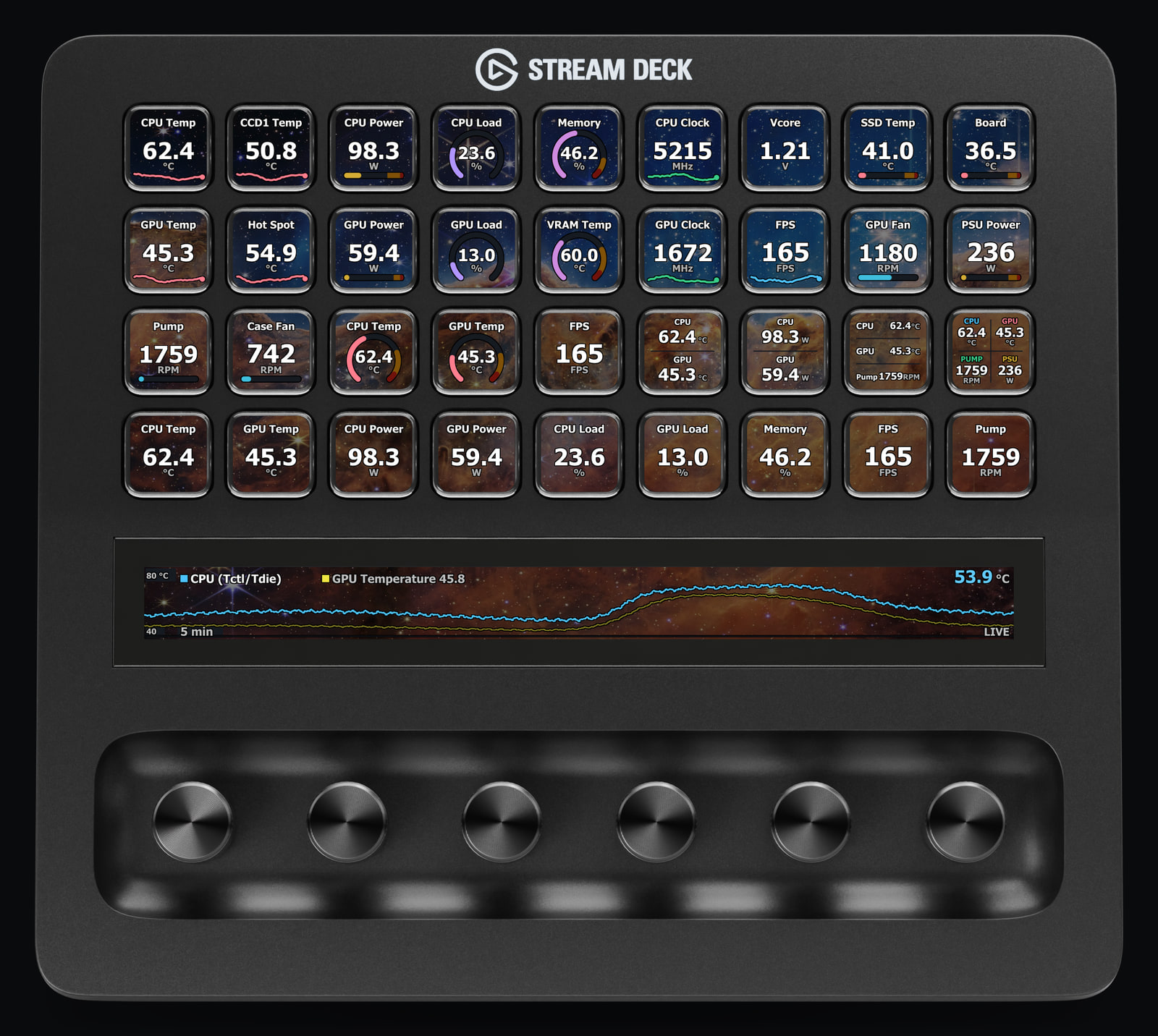
Every key and the strip on Tint on the Void theme. Picture: the Cosmic Cliffs (NASA, ESA, CSA, and STScI, CC BY 4.0, cropped), standing in for a page and strip picture set in the Stream Deck app. Device image: Elgato.
A unit, decimals and limits for each reading
- Unit and decimals per reading (issue #59): a reading’s own decimals, and one unit for a byte reading. See Unit and decimals per reading.
- Limits for each reading on a key, and Separate limits for a reading on a dial. See Limits for each reading on a key and Dial: separate limits, timing and snooze.
- Alert after, Clear by and Snooze lasts set an alert’s timing on keys and dials.
- Limits typed in 1.8 keep their unit, so a later °F switch converts them.
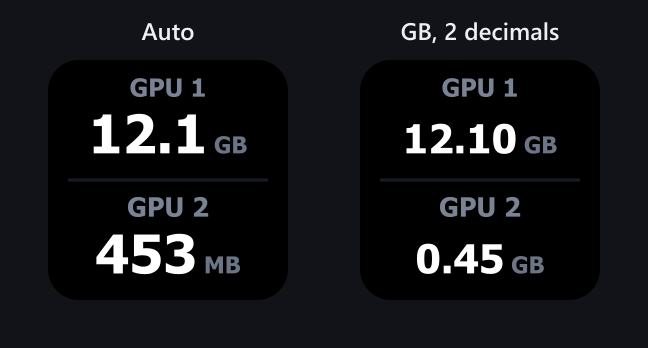
12100 MB and 453 MB on one two-reading key: on Auto, and with GB and 2 decimals set for each reading.
Time windows
Time window on a key’s sparkline or a two-row dial covers the last 1, 5 or 15 minutes. History is capped at 2 MiB, plus a separate 768 KiB for Group and Ambient strip graphs. See Time window for a key and Time window on the two-row view for a dial.
Sensor details
- Page layout keeps chosen cells of the detail page empty for one key’s drill-down (issue #5). See Empty cells: Page layout.
- Detail filters take
|(issue #35):4090 | pumplists every reading either pattern matches. See Filter patterns.
Reading links and calculated readings
- Advanced → Reading links pairs a Shared Memory reading with its Gadget counterpart. See Link from the settings panel.
- Advanced → Calculated readings: the sum, average, lowest or highest of 2 to 8 readings, or the difference or ratio of two. See Calculated readings.
The HWiNFO Control key
An HWiNFO Control key can Snooze alerts, End alert snooze and drive a strip: its screens, its time window, the highlighted reading and Strip: inspect (pause the view).
What changes on your deck
| Change | What you see |
|---|---|
| Binary data units | HWiNFO’s KB to TB are read as 1024-based. With 2 decimals, 12,100 MB read 11.27 GiB in 1.7.1 and read 11.82 GiB now. |
| A busy Shared Memory read | A read that finds HWiNFO busy looks again, up to six times 25 ms apart, before it counts as missed. Before, graphs broke about every 139 seconds. |
| Presses in the settings panels | A held Enter presses once (the screen and page arrows keep stepping), and a double click or a pen’s double tap acts once on a button, a checkbox, a section heading or a reading in a list. Quick presses still repeat on a tile’s size, the screen and page arrows, and Earlier and Later. |
| Renamed labels | Not updating (was No new data) on a dial. Link ID (was Target) and A stats reset clears (was A reset clears) on an HWiNFO Control key. |
Upgrading and going back
- 1.8 only adds settings. Use it everywhere (Advanced → Shared defaults) is the one button that removes fields: each key’s, dial’s and strip’s own Background and Words in the accent color.
- Going back to 1.7.1 ignores the new fields. Keys draw Recent samples and alert only from the first reading’s Warn at and Critical at, at once and with no snooze. An HWiNFO Control key set to Snooze alerts, End alert snooze or a Strip command shows the Stream Deck alert when pressed. Joined dials show their own readings. Every key, and a dial on Default, Stars, Dusk or Nebula, draws the theme’s background. Calculated readings show Sensor missing.
- A dial’s Background picked on 1.7.1 after Use it everywhere can go back to Default on the way back to 1.8. Pick it again.
- A known gap: a Sensor Dial pasted from a second copy of a strip’s profile can bring that copy’s setup to the whole strip without asking. Copies and other decks says how to undo it.
- Requirements are unchanged.
The hardware page lists what ran on which device, and PERF.md has the soak and timing records.
Upgrading from 1.6? What changed in 1.7 says where that step needs you to act.